Add New Users to your Chase Account
1. Review Specified User Information to use in Account Creation:
Name: Wesley Lindquist
Phone Number: (619) 940 6526
Email Address: This is specified in the email you received from us to initiate this new access request.
Username: This is specified in the email you received from us to initiate this new access request.
2. Access the System:
Log in with your Chase Account
Navigate to Account Management → Access and Security Manager

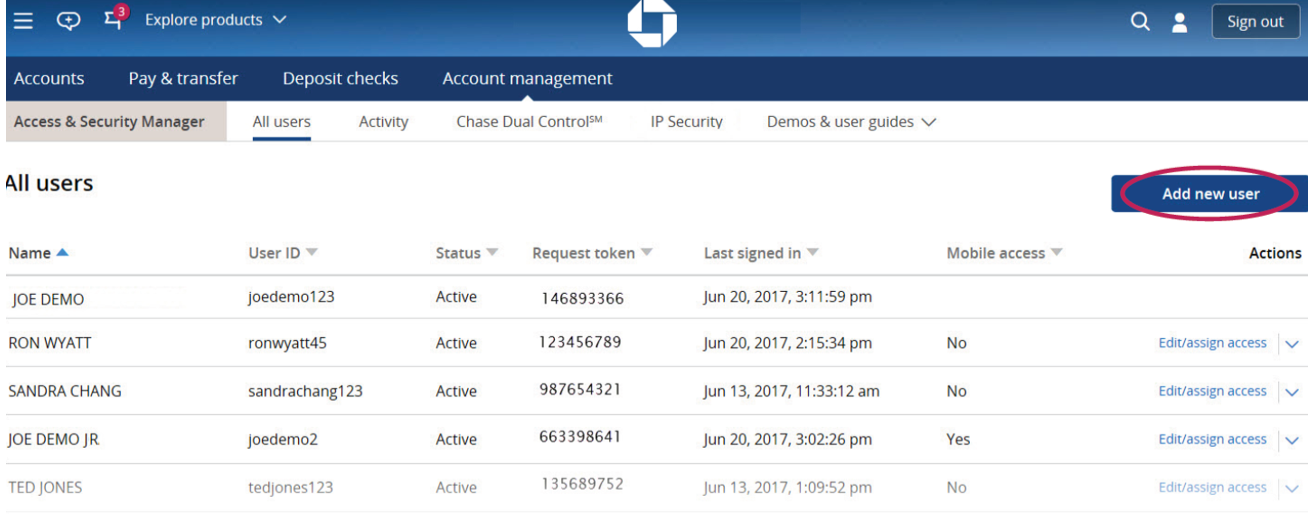
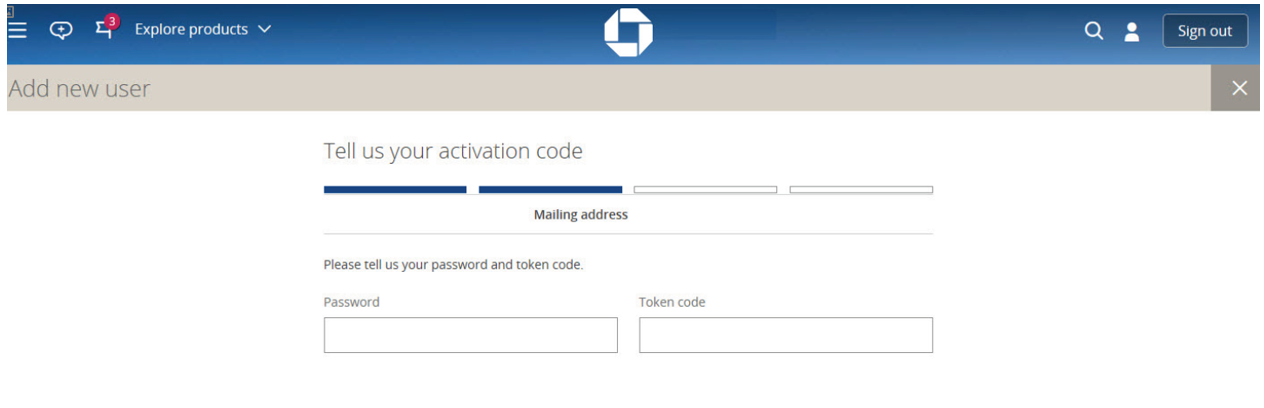
4. Password and Token Code (if applicable) will need to be provided to access the next steps.
5. Fill in the required information for your new user, you will need to create a Username and fill out the following details using the specified credentials below and in our account access request email to you:
First Name: Wesley
Last Name: Lindquist
Email Address: Specified in our email to you
Phone Number: (619) 940 6526
Username: Specified in our email to you
Allow mobile access: Unselect
Send the temporary password to: Specified in our email to you
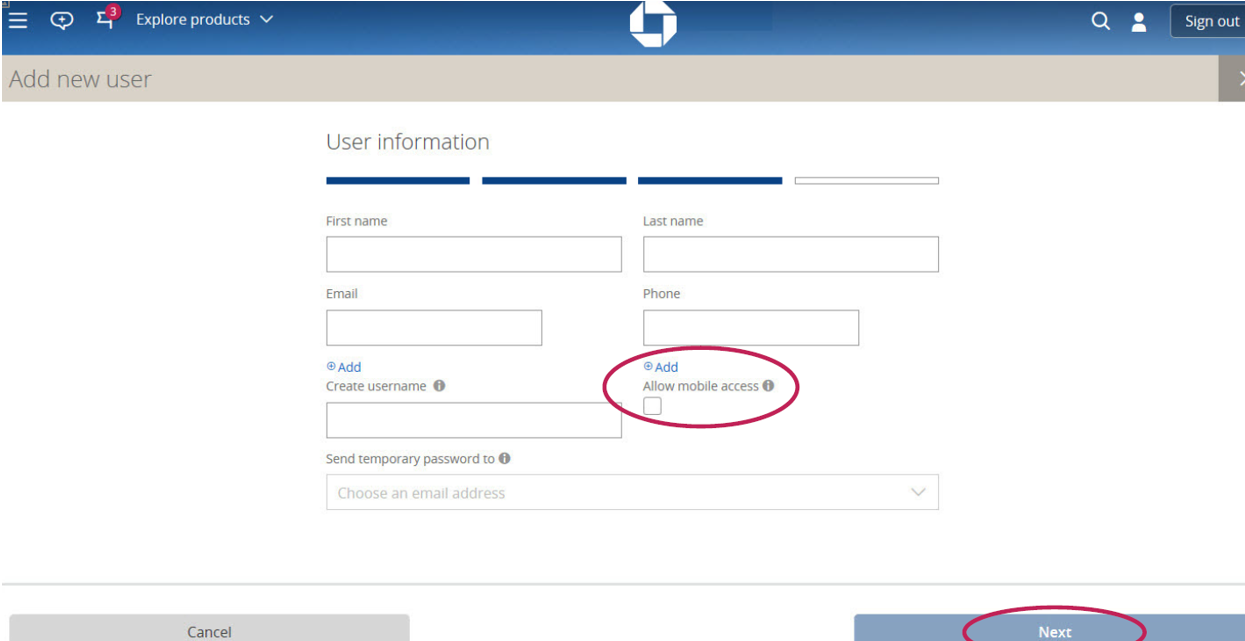
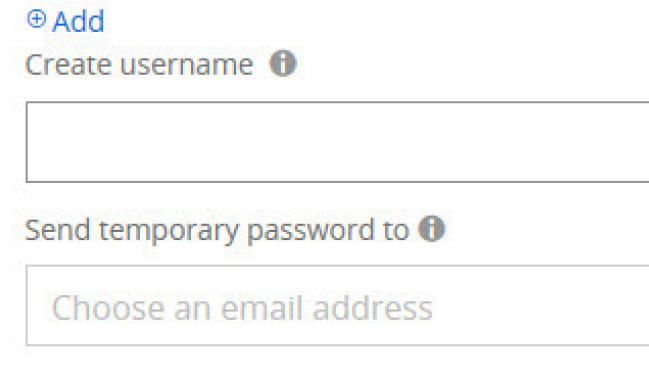
6. Create Username, uncheck "Allow Mobile Access, click "Next".
7. Assign User Access Level:
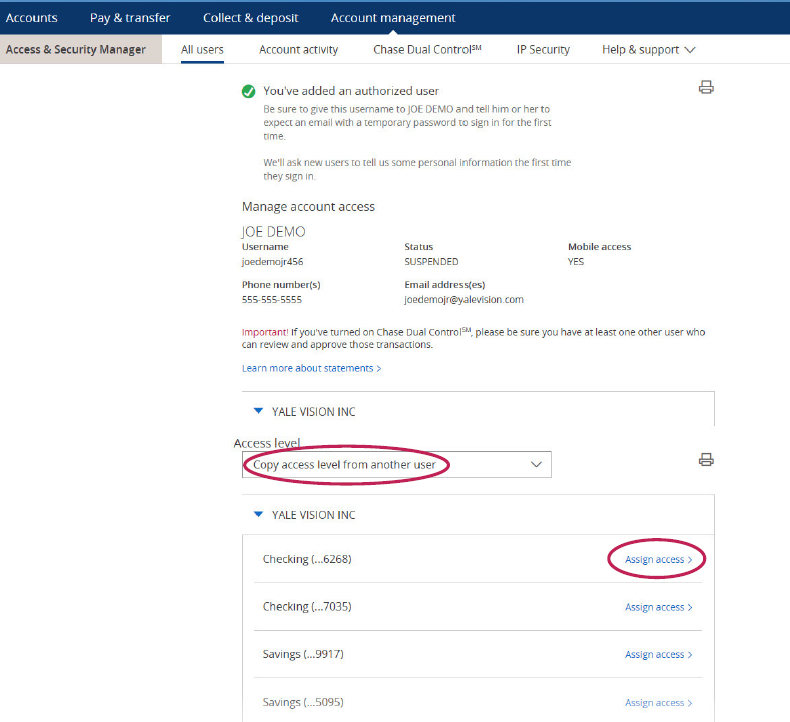
8. When you click Assign access, you should choose the access level for each account we need and select See Activity Only and Allow Access to See Statements & View Check Images, for all other accounts that Precision Financial LLC does not need please select No Access.
• No access. Leave the drop-down list alone. Your authorized user won’t have access to this account. Every account is automatically at this level until you assign one of the other options.
• See activity only. Your authorized user can see account information but can’t initiate transactions. In addition to online activity, Precision Financial will need access to see statements, & view check images. We do not need access to approve transactions initiated by other users.

